
Pay Stub Generator
Use our pay stub creator: fill in the details on the left — the preview on the right updates as you go, with real federal, Social Security, Medicare and state tax withholding.
Company information
Employee information
This data is stored securely and never shared with any third party. It is only used to generate your pay stub.
Note. Don’t have this handy? You can add it before downloading.
Pay details
Enter a pay date and we'll fill in the pay period for your pay frequency automatically. You can edit it afterwards.
Include a detachable deposit slip at the bottom of the pay stub with the net pay and check number — perfect for record-keeping.
71% of our customers choose this option
Form W-4 details
Used to calculate federal income tax withholding.
Earnings
Add every type of pay on this stub — regular hours, overtime, bonuses, and so on.
Deductions
Optional. 401(k), health insurance and HSA reduce taxable wages; everything else comes out after tax.
No deductions added.
Customize individual pay stubs
Stub 1 (your most recent pay date) uses the details above. Each stub below is an earlier pay period and can have its own date, pay period, hours and check number — they default to the same pay, one period earlier.
Your Company Name
Company address
City, ST ZIP
PAY STUB
Pay date: —
Pay frequency: Biweekly
State: TX
Paid to
Employee Name
Net pay
$1,690.85
| Earnings | This period | Year to date |
|---|---|---|
| Regular (80 hrs @ $25.00) | $2,000.00 | $2,000.00 |
| Gross pay | $2,000.00 | $2,000.00 |
| Taxes | This period | Year to date |
|---|---|---|
| Federal Income Tax | $156.15 | $156.15 |
| Social Security | $124.00 | $124.00 |
| Medicare | $29.00 | $29.00 |
| Total taxes | $309.15 | $309.15 |
| Gross pay | $2,000.00 |
| Total taxes | - $309.15 |
| Total deductions | - $0.00 |
| Net pay | $1,690.85 |
Traditional Ledger — A fully-gridded black-and-white ledger with monospaced figures, like a classic payroll printout.
This is a watermarked preview. Enter your email below to get your clean, unwatermarked PDF.
Popular choice: 3 pay stubs is selected
Most customers pick 3 pay stubs. Please confirm how many stubs you need before you pay.
You save $1.83 with this package
Fill in the required fields to pay and download
Still needed: company name, employee name, stub 1 pay date, stub 1 pay period start, stub 1 pay period end, stub 2 pay date, stub 2 pay period start, stub 2 pay period end, stub 3 pay date, stub 3 pay period start, stub 3 pay period end. The payment box appears here as soon as they’re complete.
Withholding rules vary by state. Browse pay stub info for all 50 states.
About the Pay Stub Generator
Build a professional pay stub with federal, Social Security, Medicare and state tax withholding calculated the same way payroll software does it. Preview before you pay, then download a clean PDF.
For your own accurate records. This document must reflect real information — it’s not for misrepresenting income, employment or financial details to a lender, landlord, government agency or any other party.
Good for
- Employees who need a copy of a lost stub
- Small employers running their own payroll
- Self-employed people documenting income
How accurate is the tax withholding?
Federal income tax withholding follows the IRS's Publication 15-T percentage method, and Social Security, Medicare and supported state taxes use the current year's official rates — the same math real payroll software uses.
Do you support my state?
All 50 states are supported, including the nine states with no income tax. Select your state and withholding is calculated automatically.
What is the difference between a pay stub generator, paystub creator, paycheck stub maker and check stub generator?
Nothing - they are different names for the same thing. A pay stub creator (or paystub creator, paycheck stub maker, check stub generator or paystub generator) builds a pay stub from your pay details: gross pay, tax withholding, deductions, net pay and year-to-date totals. Ours calculates the taxes the way payroll software does and shows a live preview before you pay.
How do I create a paystub online?
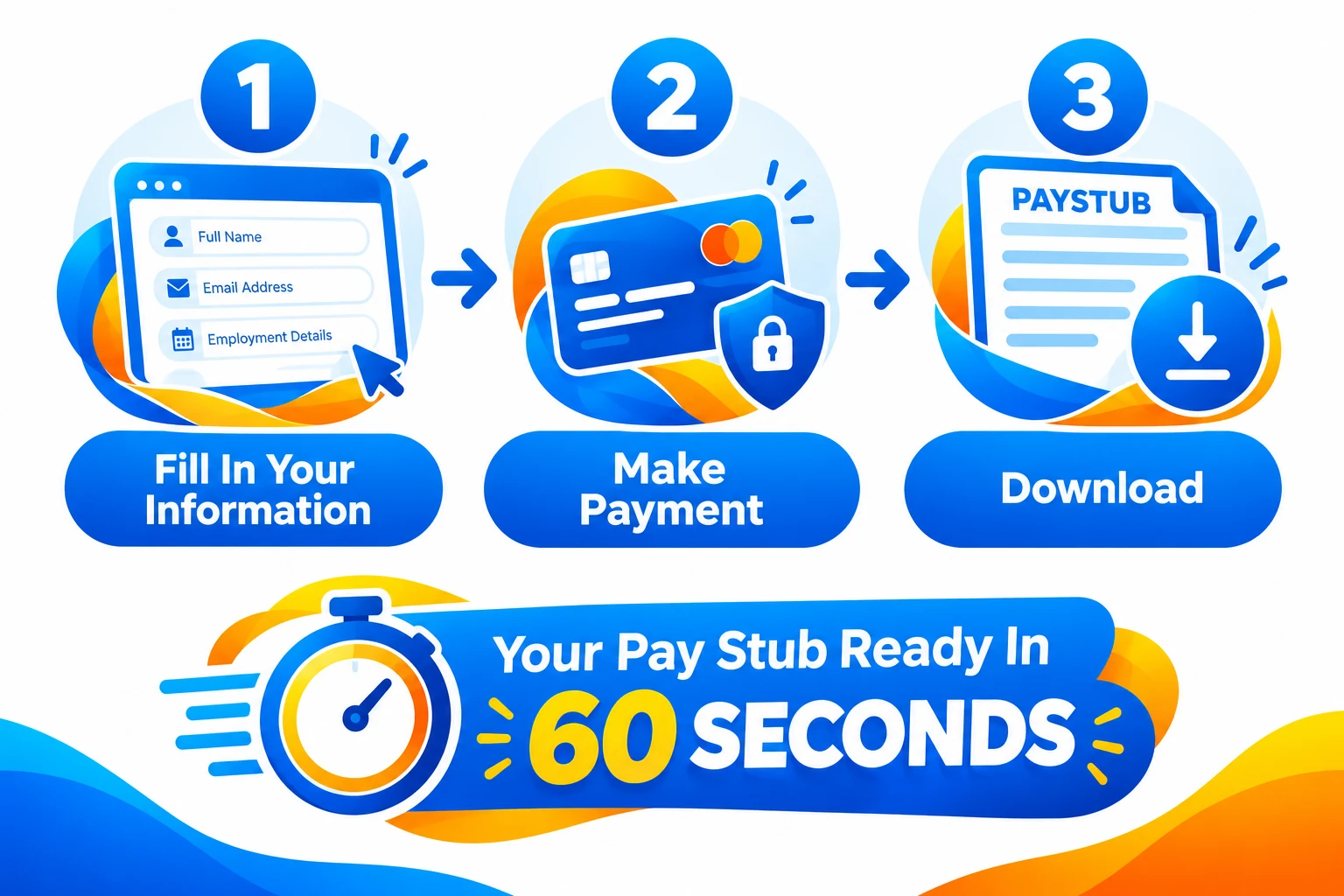
Enter your employer and employee details, choose your pay frequency and state, add your pay rate or salary and any deductions, and watch the live preview update. When it looks right, pay and download the clean PDF instantly.
Can I generate more than one pay stub at a time?
Yes — order 1, 2, 3 or more stubs in one session with running year-to-date totals, at a lower per-stub price the more you add. Each stub gets its own pay date and pay period by default, and you can customize any stub's date, hours or check number individually.
24-hour support, one click away
Stuck on a field, a price or a download? Our assistant is on call every hour of every day to guide you step by step, so you are never left guessing.
How to read a pay stub
A pay stub is the document that comes with every paycheck showing exactly how your pay was calculated — your gross wages, every tax and deduction taken out, and the amount you actually take home. You're entitled to one for every pay period, whether you're paid by direct deposit or a printed check.
What's on a pay stub
Every pay stub covers the same basic information, laid out a little differently depending on the employer or software that generated it:
- Employee and employer details — name, address, and often an employee ID.
- Pay period and pay date — the range of days you were paid for, and the date the payment was issued.
- Gross pay — your total earnings before anything is taken out, either hours worked times your rate, or your salary for the period.
- Deductions — federal income tax, Social Security, Medicare, state income tax (if your state has one), and any other withholding like retirement contributions or health insurance.
- Net pay — what's left after every deduction, and the amount that actually lands in your account or on your check.
- Year-to-date (YTD) totals — a running total of gross pay, each deduction, and net pay for the whole calendar year so far.
Common pay stub terms explained
- Gross pay — earnings before taxes and deductions.
- Net pay — take-home pay after everything is deducted.
- FICA — the combined Social Security (6.2%) and Medicare (1.45%) tax required on nearly all US wages.
- Federal withholding — income tax withheld based on the IRS's current withholding tables and the allowances or filing status on file.
- State withholding — state income tax withheld, if the state you work in collects one.
- YTD (year-to-date) — the cumulative total of a figure from January 1st through the current pay period.
When you actually need a pay stub
A pay stub documents income you already earned — here's when people generate their own:
- Replacing a stub your employer never gave you, or one you lost.
- Documenting income as a freelancer, contractor, or gig worker who doesn't get one automatically.
- Running payroll for your own small business or household employee.
- Personal budgeting and record-keeping, alongside your real bank deposits.
How our generator calculates yours
Federal withholding follows the IRS's Publication 15-T percentage method, Social Security and Medicare use the current year's statutory rates, and all 50 states are supported — including the nine with no state income tax. Preview before you pay, then download a clean PDF.
Pay Stub Creator: Make a Paycheck Stub Online
Whether you call it a pay stub creator, a paystub creator, a paycheck stub maker or a check stub generator, you're looking for the same thing: a fast way to turn your real pay details into a professional pay stub. Here is how our paystub generator works and when it helps.
One tool, many names
Pay stub generator, paystub generator, pay stub creator, paycheck stub maker and check stub generator are all names for the same kind of tool. It takes your earnings and deductions, works out the taxes, and lays everything out the way a payroll-provider pay stub does.
How to create a pay stub in four steps
- Enter your employer and employee details and pick your state and pay frequency.
- Add your hourly rate or salary, hours worked and any deductions like a 401(k) or health insurance.
- Check the live preview - federal, Social Security, Medicare and state withholding are calculated for you.
- Pay and download a clean, watermark-free PDF instantly.
What a good paycheck stub maker gets right
A paystub that only looks real is not much use. The numbers should add up the way payroll software calculates them: correct tax withholding for your state, year-to-date totals that grow from stub to stub, and a consistent pay period and pay date on every check stub.
Need pay stubs for more than one pay period?
Create one stub or several in the same session. Each additional stub costs less, and year-to-date totals carry through automatically, so a set of paystubs from our paystub generator stays consistent from the first pay date to the last.
Who needs a pay stub generator?
A pay stub generator is useful anywhere a real paycheck stub is missing, lost or was never issued. These are the people who use one most, always for pay that was actually earned or paid.
Common reasons to create a pay stub
- Small business owners who pay a handful of employees and need a clear record of each paycheck.
- Self-employed people and freelancers documenting what they earn when no employer issues a stub.
- Gig economy workers, such as delivery and rideshare drivers, who are paid as contractors.
- Household employers paying a nanny, caregiver or cleaner.
- Landlords and property managers who pay on-site staff.
- Employees who lost a pay stub or never received one and need a copy for a lease, loan or application.
- Remote and cash-paid workers who want consistent records of their earnings.
What to look for in a pay stub generator
- Tax calculations that follow the IRS withholding tables, not rough percentages.
- Support for your state, including its specific withholding rules.
- Year-to-date totals that carry forward correctly from one stub to the next.
- A full preview before you pay, so you can check the numbers first.
- A clear price, with no account or subscription needed for a one-time stub.
Pay stub math: how a paycheck is calculated
Every pay stub follows the same arithmetic. Seeing it worked through once makes it easy to check a stub, spot a mistake, or understand what the generator is doing with the numbers you enter.
From gross pay to net pay
Start with gross pay, then take out pre-tax deductions, taxes and post-tax deductions. What remains is net pay, the amount you take home.
- Gross pay: hours x hourly rate, plus overtime, bonuses and tips, or your salary for the period.
- Pre-tax deductions: items such as 401(k) contributions and some health insurance premiums. These lower the wages that income tax is figured on.
- Taxes: federal income tax, Social Security (6.2%), Medicare (1.45%) and state income tax where your state has one.
- Post-tax deductions: items such as Roth contributions or wage garnishments, taken after taxes.
- Net pay: gross pay minus everything above.
Worked example: $2,000 biweekly in Texas
Take a single filer paid $2,000 every two weeks in a state with no income tax, such as Texas. Social Security is 6.2% of $2,000, which is $124.00. Medicare is 1.45%, which is $29.00. Federal income tax withholding comes to about $156.15 under the IRS withholding tables for that filing status. That leaves net pay of about $1,690.85.
Your own figures depend on your filing status, any W-4 adjustments, your state and your deductions, which is why the generator asks for them.
How often you are paid changes the numbers
The same yearly salary produces a different paycheck depending on how often you are paid. Weekly means 52 paychecks a year, biweekly means 26, semi-monthly means 24 and monthly means 12. Withholding is calculated per pay period, so the pay frequency you choose changes each stub's tax amounts as well as the gross pay.
States with no income tax on wages
Nine states do not tax wages: Alaska, Florida, Nevada, New Hampshire, South Dakota, Tennessee, Texas, Washington and Wyoming. On a pay stub from those states there is no state income tax line. Every other state withholds from wages, and some also have payroll items such as state disability or family leave contributions. Local taxes in some cities and counties can apply on top of that.
What year-to-date totals tell you
Year-to-date (YTD) totals add up each figure from January 1 through the current pay period. They let a lender, landlord or accountant see your income over time at a glance, and they should grow from one stub to the next. If YTD gross on a stub does not match the sum of your earlier stubs, one of them has a mistake.
Common pay stub mistakes
- Using the wrong pay frequency, which throws off every tax amount.
- Forgetting a pre-tax deduction, so taxable wages are overstated.
- YTD totals that do not add up from stub to stub.
- A pay date that does not fall inside or just after the pay period.
- Using the wrong state, or a state that does not match where the work is done.
What you can enter and customize
The generator covers the details that show up on real payroll pay stubs, so the finished document matches your actual pay.
Pay and tax options
- Hourly or salaried pay, plus overtime, bonuses, tips and commission as separate earnings lines.
- Weekly, biweekly, semi-monthly or monthly pay frequency.
- Federal filing status, dependents and other W-4 adjustments.
- All 50 states, with state withholding and payroll items such as SDI calculated where they apply.
- Pre-tax deductions such as a 401(k) or health insurance, and post-tax or custom deductions such as union dues.
- Year-to-date totals that carry forward across multiple stubs.
Look and delivery
- 10 designs: five full-page layouts and five check-stub size layouts.
- Your own company logo.
- A different pay date, hours and check number for each stub in a series.
- A free live preview, then an instant PDF download. See samples on our pay stub examples page.
Why pay stubs are important
A pay stub is more than a receipt. It is the main record connecting what you earned to what you took home.
Why they matter
- They let you check that you were paid correctly and that taxes were withheld accurately.
- Lenders, landlords and agencies often ask for recent stubs to see your income.
- They make filing your tax return easier, since they show what was withheld.
- They give small employers a clean record of every payroll they run.
- Many states require employers to give workers a statement of earnings.
Pros and cons of making your own
Pros: it is fast, inexpensive, and useful when no employer issues a stub, such as for contractors, gig workers and household employers. Cons: a self-made stub is only as accurate as the figures you enter, and it is not a substitute for payroll filings or tax deposits where those are required. Always use real pay, and never use a stub to misrepresent income.
Free pay stub maker, paid generator or blank template?
- Free makers usually add a watermark or charge at download, and often do not calculate taxes.
- A blank template is free but you do the tax math and formatting yourself, which is where mistakes creep in.
- A paid generator like this one calculates federal, FICA and state tax for you and gives a clean PDF. You can preview for free first, and your first watermarked sample is free.
More pay stub generator questions, answered
Is it legal to create your own pay stubs?
Yes, as long as every figure reflects pay that was actually earned or paid. Employers, small business owners and self-employed people create pay stubs for their own records all the time. A pay stub must never be used to claim income that was not earned or to mislead a lender, landlord or agency.
What do I need to create a pay stub as an employee?
Your employer's name and address, your name, the pay period and pay date, your pay rate or salary, the hours worked, your state, and any deductions such as 401(k) or health insurance. Your W-4 details help the federal withholding match your real paychecks.
What do I need to create a pay stub as an employer?
Your business name and address, the employee's name, their pay rate or salary, hours worked, pay frequency and state, plus the employee's W-4 details and any deductions. Enter one employee at a time and start a new pay stub for the next.
How long should I keep my pay stubs?
A common rule is to keep them for at least a year, until you have checked them against your W-2, and longer if you may need them for a loan, a lease or a tax matter. Employers generally must keep payroll records for several years, and the exact period depends on the law that applies.
What if I made an error on my pay stub?
Most documents come with a no-login edit link in your confirmation email. Open it, correct the details and regenerate the PDF. Everything can be changed except the date.
Do pay stub generators follow tax laws?
Our generator calculates federal withholding from the IRS's Publication 15-T tables, Social Security and Medicare at the current statutory rates, and state withholding from official state rates. It creates a document from the numbers you enter. It does not file taxes or run payroll for you.
How quickly can I get my pay stub?
Immediately. You see a live preview as you type, and the PDF is ready to download the moment your order completes. We also email you a link.
How do I use a pay stub as proof of income?
Give a landlord, lender or employer the recent pay stubs they ask for, usually the last two to three. They may also ask for bank statements or tax forms to confirm the figures, so only use pay stubs that match your real income.
Are all employers required to provide pay stubs?
Federal law does not require employers to give employees pay stubs, but many states do, and the rules differ by state. If your employer does not give you one, a pay stub generator can recreate it from your real pay details.
Is there a pay stub generator with a calculator?
Yes. This pay stub generator calculates the taxes for you as you type: federal income tax, Social Security, Medicare and state tax, with a live preview. If you only want to estimate take-home pay first, our free paycheck calculator does that for any state.
Is there a pay stub generator with taxes already calculated?
Yes. Federal withholding follows the IRS's Publication 15-T tables, and Social Security, Medicare and state withholding use the current official rates, so you do not work out any tax yourself.
Is there a pay stub generator with year-to-date totals?
Yes. Year-to-date totals for earnings, taxes and deductions carry from one stub to the next, so a set of stubs for different pay periods stays consistent.
Is there a pay stub maker with deductions?
Yes. You can add pre-tax deductions such as 401(k) and health insurance, and other deductions, and the stub shows each one and the resulting net pay.
Can I use a paystub generator online without downloading software?
Yes. Everything runs in your browser on any phone or computer, with no software to install and no account needed. You see a preview, then pay and download the PDF.
What is the difference between a pay stub, paystub, paycheck stub and check stub?
Nothing. They are different names for the same document: a statement of earnings, taxes, deductions and net pay for one pay period. Payslip is the term used in many other countries.
Related pay stub guides and tools
- Free pay stub template: printable hourly and salaried examples
- Hourly vs salaried pay stub: what is different
- Free downloads: templates, samples and printable forms
- Pay stub requirements, abbreviations and record keeping
- Pay stub examples: 10 sample designs
- How to read a pay stub, section by section
- How to make a pay stub, step by step
- Paycheck stub generator
- Check stub generator, in check-stub size or full page
- Why pay $8 to $10 for a pay stub? How much you can save
- Pay stubs for self-employed people and business owners: how to pay yourself
- Pay stub template: what to include
- Free paycheck calculator, with a version for every state
- What is a pay stub? A complete guide
- Pay stubs for DoorDash, Uber, Instacart and other gig workers
- Pay stub info for all 50 states
- Cheap pay stub generator